
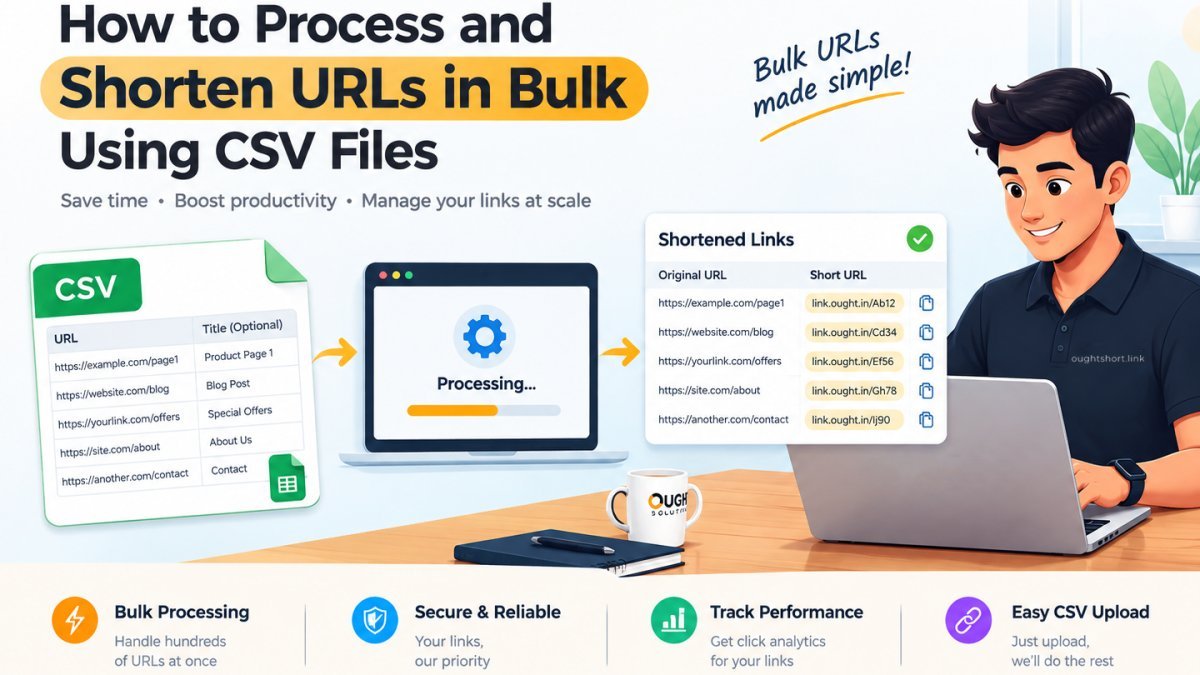
If you are running multi-channel marketing campaigns, launching sprawling affiliate programs, or distributing a massive product catalog across newsletters, shortening links one by one is a recipe for burnout. Manually pasting URLs into a dashboard is tedious, prone to human error, and completely unsustainable when dealing with hundreds or thousands of destination links.
Fortunately, there is a better way. By leveraging CSV (Comma-Values) file processing, you can generate hundreds of branded short links in seconds.
In this comprehensive guide, we’ll walk you through how bulk URL processing works, how to structure your spreadsheets correctly, and how you can seamlessly scale your link infrastructure using link.ought.in.
Why Bulk Link Shortening is a Game-Changer
Whether you’re an enterprise growth marketer, an agency manager, or a developer orchestrating automated email sequences, bulk URL shortening solves several core bottlenecks:
- Massive Time Savings: Converting 500 links manually takes hours. A bulk CSV upload processes the entire batch in under ten seconds.
- Error Elimination: Copy-pasting long destination URLs introduces stray characters and broken query parameters. A structured spreadsheet allows you to review and validate every link before generation.
- Structured Organization: Advanced bulk tools allow you to assign custom aliases, tags, and tracking parameters directly within your spreadsheet columns.
Step 1: Structuring Your CSV File for Success
Before uploading your data to link.ought.in, your CSV file needs to be properly formatted. Most modern bulk processors rely on a clean header row to identify data types.
Here is a standard template you can build in Microsoft Excel, Google Sheets, or any text editor:
long_url
https://example.com/summer-sale-2026?source=email
https://example.com/product/shoes?ref=aff123
https://example.com/resources/whitepaper
Key Elements of Your CSV:
long_url(Required): The full destination web address you want people to visit. Ensure it includeshttps://orhttp://.custom_alias(Optional): If you want memorable slug extensions (e.g.,link.ought.in/summer26-email), specify them here. If left blank, the system will auto-generate unique random short codes.tags/notes(Optional): Helpful metadata for categorizing your links for future analytics filtering.
Step 2: Preparing and Cleaning Your Data
Garbage in means garbage out. Before you save your spreadsheet as a .csv file, perform these quick sanity checks:
- Remove Duplicates: Run a duplicate check on your destination URLs so you don't waste system allocations or clutter your dashboard.
- Check Special Characters: Ensure that internal quotes or stray commas in your URLs or custom aliases are properly escaped or enclosed in quotation marks.
- Verify URL Status: Run a quick spot-check or automated checker to confirm that your destination URLs are live and returning a
200 OKstatus code.
Step 3: Uploading and Processing on link.ought.in
Once your CSV is polished and saved, you are ready to process your batch:
- Log in to your account at link.ought.in.
- Navigate to the Dashboard and select Bulk Import (CSV).
- Drag and drop your
.csvfile into the upload zone or click to browse your local files. - Click Process / Generate Links.
The system will parse your file row by row, validate the formatting, create your short links, and queue them into your workspace instantly.
Step 4: Exporting, Managing, and Tracking
After processing is complete, link.ought.in provides an instant summary report. You can download the completed CSV file, which now includes a brand-new column containing your generated short links ([https://link.ought.in/](https://link.ought.in/)...).
Best Practices Post-Upload:
- Save the Output File: Keep a master record of your generated batch so you know which short link corresponds to which campaign asset.
Leverage Analytics: Use link.ought.in's built-in tracking to monitor click-through rates (CTR), geographical distribution, and referral sources across your entire batch.
- Tag Consistently: Group your uploaded links by campaign tags so you can review aggregate performance reports in your dashboard.
Conclusion
Processing URLs in bulk using CSV files transforms link management from a tedious chore into an automated, scalable workflow. By setting up clean spreadsheet templates and leveraging the bulk tools on link.ought.in, you can deploy thousands of campaigns in minutes while maintaining pristine organization and robust analytics tracking.
Ready to scale your link management? Head over to link.ought.in and process your first batch today!



0 Comments
Be the first to comment.
Leave a Comment